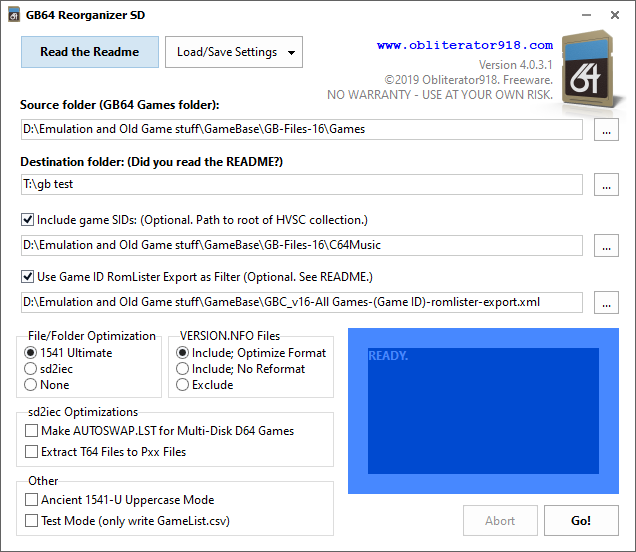
GB64 Reorganizer SD 4.0.3.1
A new version of GB64 Reorganizer is available. Download with this link.
Log:
4.0.3.1:
- Added .REU to the recognized file types for extraction (GB16 support).
GB64 Reorganizer SD 4.0.3.1
A new version of GB64 Reorganizer is available. Download with this link.
Log:
4.0.3.1:
Well, “quest” is a little bit of an exaggeration. In reality, I had decided to stop thinking “I wish I had a PAL C64” as I had been for many years, and just get one.
For those who may not know, there are significant differences between the video standards of North America (NTSC) and Europe (PAL). These differences translate into incompatibilities between NTSC and PAL Commodore 64s with respect to what software they can correctly run, as each region had its own hardware designed with timings specific to the required video standards. Sometimes the difference is not important, but often it is. When developing my demo last year, I was keenly aware of this, and it can be a real challenge to write timing-sensitive code that works properly on both systems. You can read here for some technical details. But the bottom line is this: If you are using NTSC hardware, like I always have, you have limited support for modern software.
This isn’t a big deal at all if you are running C64 software in an emulator like VICE, but if you are like me, and have a penchant for CRT displays with old hardware, it really is a limiting factor. Why?
Most of the activity in “the scene” is going on in Europe, where they take advantage of the slower frame-rate and extra CPU cycles PAL-timing gives them.
And frankly, when it comes to retro computer and gaming hardware, there really is no substitute for a genuine cathode ray tube display. Which means: if you want to be able to run a variety of software, especially new software, you need to get a Commodore 64 that was sold in Europe.
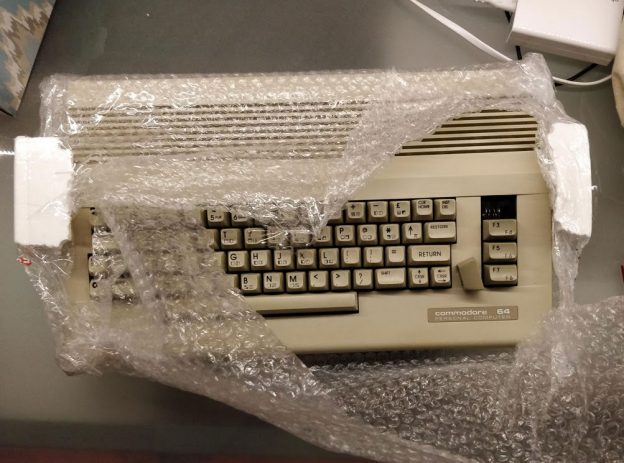
I found a seller in Italy who was willing to part with a nice-condition C64C. He took the time to properly pack the unit in an amply over-sized box. I paid for express shipping, and he sent it promptly. About a week later, this arrived at my door.
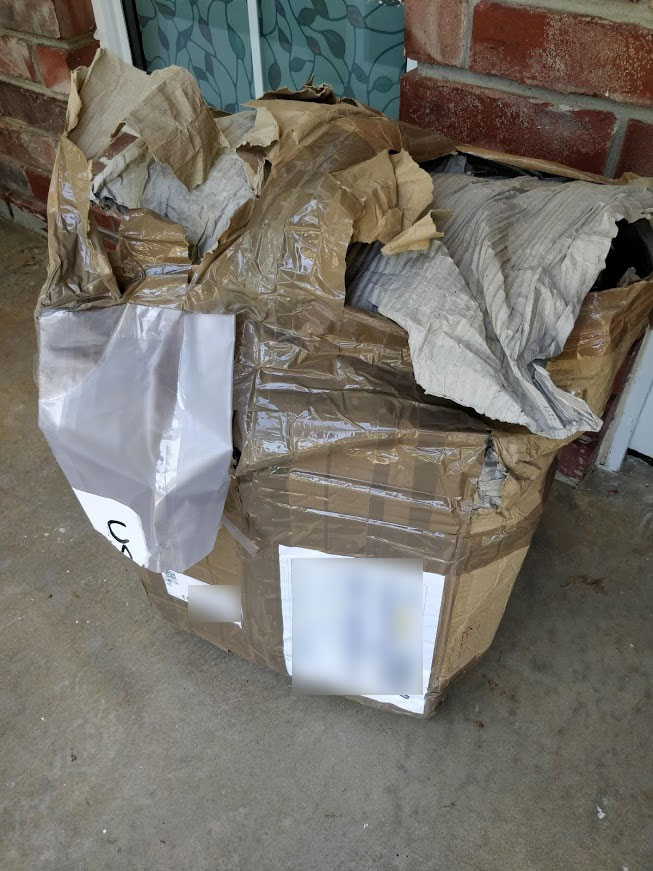 The box had obviously been set in water and soaked up a lot of it. The USPS claimed it arrived to them in that condition. I was surprised it even made it to me — the shipping label practically fell off when I took the paper masche, I mean box.
Steve White has developed a wonderful application for a Raspberry Pi 3: Pi1541
Pi1541 is a cycle-exact emulator for the 1541 disk drive. Have a look-see. If you want to try this out, you’ll need some soldering skills to make the cable that attaches the C64 IEC bus to the Pi’s GPIO.
If you’ve already got Gideon’s 1541 Ultimate, there’s not much call for the Pi1541, but a Pi costs you less and you might have fun with the DIY aspect of putting it together. (The 1541 Ultimate still can’t be beat, especially considering the freezer functions you get with it.)
Also, I haven’t tried the Pi1541 yet, but I suspect the SD2IEC output from GB Organizer would work well with it. Steve’s Pi1541 seems to work much like an SD2IEC on the computer-side.
Here’s one of Steve’s videos on the project:
I would love to attend this one day. VCF East had this Commodore Retrospective, and here is a great video, which doubles as a fast history of Commodore machines, starting with typewriters, including a working Commodore 65.
Today I am releasing a new C64 Demo: Galactic Rasterbar Power.
PRG file: Galactic Rasterbar Power.prg
Music only: Phosphor Advance.sid
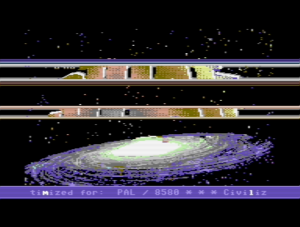
Galactic Rasterbar Power screen shot
I coded this demo in my spare time to accomplish a few goals:
Two reasons:
How could I work around this?
Essentially, I would also need to have Reorganizer open and analyze the Microsoft Access database file that GameBase 64 uses. This wouldn’t be all that difficult, but it does mean a lot of new code in Reorganizer and some significant retrofitting to its scanning engine. Will I ever do this? Maybe at some point. But no time real soon.
Alternatively, the GameBase 64 team could opt to start including linked extras in the NFO files, just like they include links to the game sids in the NFO files. That would make this considerably easier, but I do not know if that is in keeping with their goals in curating the collection.
Why post this?
Because people have asked me to include Extras, and this is an easy answer to point them to. That’s all.
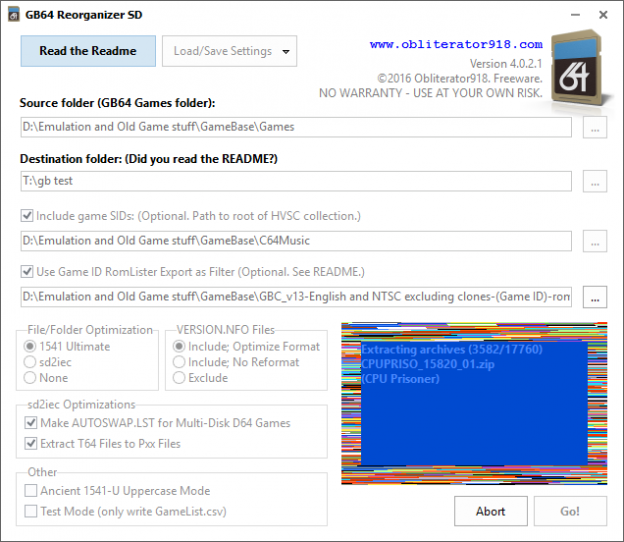
A minor update to Gamebase 64 Reorganizer has been uploaded. The new version is 4.0.2.1.
In previous versions, the program would fail to extract the archives if there were 251 or more items in the Z folder. The most archives present in the Z folder up through GB v14 was less than 250, so nobody ever came across this until some recent testing and made me aware of it. It was a simple bugfix. Upgrading to this version is strongly recommended. You can download the new version or read the full changelog here.
Nothing major here, just a post confirming that (as far as my testing shows) GB Reorganizer SD 4.0.1.1 works correctly with Gamebase v14 and runs properly on Windows 10. I have not bothered to update the documentation in Reorganizer to reflect this information but wanted to post it somewhere.
I do not test in virtual setups that don’t use Windows drive volumes so I can’t comment on compatibility with something other than NTFS or ReFS file systems and Windows emulators or VMs.
GB Reorganizer has had quite an update today. I’ve posted version 4.0 with some important improvements and fixes. Don’t know what this is? Read about it here.
Someone pointed out to me that the Reorganizer was creating empty (no disk) output on archives with .TAP or .G64 images in them. Well, when I originally coded this utility for use with my 1541 Ultimate, the only image formats supported were .T64 and .D64. But that has changed and GameBase 64 is now using quite a few different image formats — .TAP, .T64, .G64, .D81, as well as the ubiquitous .D64. So now these are all recognized and extracted. (Whether or not your chosen device will support the images is a different matter — my 1541-U Mark 1 unit, with my custom firmware, can handle .D64, .G64, .CRT, and .T64 images, but not .TAP or .D81.) Still, it is better to include the files in the output for possible future support by your device.
Another important change for 1541-U users is how filename case is handled. Again, way back in the days of pre-2.0 1541-U firmware, the sorting and searching in the file browser were all case-sensitive, so it was necessary to upper-case all of the output for more useful browsing behavior. Somewhere along the line Gideon fixed all of the sorting and searching to be case-insensitive so this is no longer necessary. But if you are using a really old firmware, such as what was flashed in the old mark-1 units, you will want to restore the previous behavior with the “Ancient 1541-U Uppercase Mode” option. Or better yet, use my custom firmware so you don’t need to. (1541 Ultimate II users shouldn’t need to worry about it.)
I’ve also added a way to save and load your settings. This makes it easier to deal with different output configurations you want to have.
There’s a test mode now, too, which writes out the GameList.csv file but doesn’t build the folder structure or extract the archives.
There are some other changes. Download it here. sd2iec device users shouldn’t feel left out. There are bug fixes in here that affect output for the sd2iec optimized folders as well, so everybody should upgrade.
4.0.1.1:
Posted a new version today for GameBase 64 Reorganizer SD. Version 3.0.3.1 has these fixes: