
Author Archives: Obliterator918

Commodore: The Amiga Years appears to be back on track!

A few years ago, Brian Bagnall, author of On the Edge: The Spectacular Rise and Fall of Commodore, and Commodore: a Company on the Edge announced that his followup book, Commodore: The Amiga Years was officially cancelled.

Now it seems to be back on.  I was not able to find any official word from Bagnall, either at his publishing website or on his Twitter account, but Amazon is showing The Amiga Years to be scheduled for release in November of 2015.

Get your pre-order in. 🙂 UPDATE June 7, 2015: Looks like Brian has announced a Kickstarter to get this published. It was listed for pre-order on Amazon before that announcement, and if you made a pre-order you may want to see if any of the perks make it worthwhile to cancel and fund the campaign instead.

If you don’t know: The original book, On the Edge, is a single volume history of Commodore which goes all the way to 1994. This is an excellent book and well worth a read, though now out of print.

Bagnall had so much information that he could not squeeze into a single volume that he decided to release a new two-volume history of Commodore. He published Commodore: a Company on the Edge which, essentially, is the first half of On The Edge but much expanded. This is also a great read and should be in your library if you are a computer history buff.

But things did not go well for the second volume (The Amiga Years) and for a long time it looked like we would never see it. But now it looks like we will finally get the “long version” of the definitive history of the fall of Commodore.

Bagnall’s history is great. He sets the record straight about what really happened with Apple and Commodore, showing conclusively that a lot of the “revisionist history” proffered by Apple fans is a lot of nonsense. The reality is that Commodore did more to introduce computing “to the masses” than any other company during its time, and Bagnall’s research and writing does an excellent job reminding us what was going on, and what was so special about Commodore.
And 30 years later, I coded up an intro…

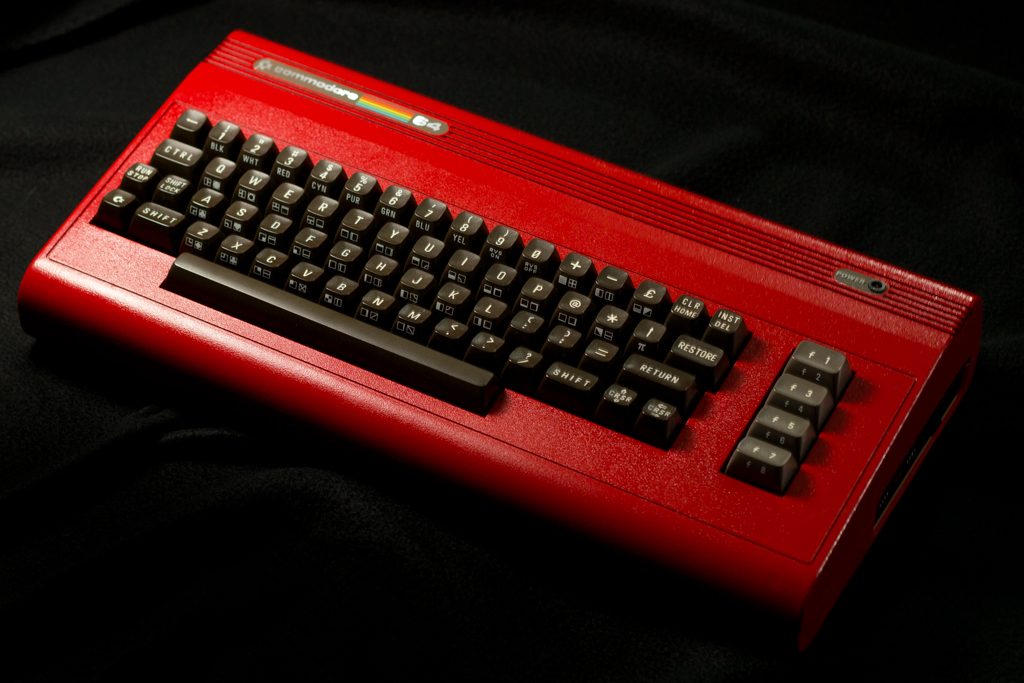
30 years (ish) ago, I got my first computer: a Commodore 64.

I learned to program with it. But I stuck with BASIC while I had the C64. I always wanted to learn assembler and write super-fast and fancy games, but I just never did. I didn’t have a monitor cartridge or even know what books to use.

Anyway, I decided that late is better than never. And since OVGE is coming up in less than two months, I decided to make an “OVGE Intro” on my C64.

You can download the prg file here: ovge 2013.prg. Hopefully you have real NTSC Commodore hardware you can run it on. If not, load it up in VICE, and be sure to set the video emulation to NTSC (it defaults to PAL). Update! I did a proper PAL fix, so it will run on NTSC or PAL machines just fine! (I also corrected the music attribution; I had text from previous song I did not use.)

It’s by no means a modern-quality demo, but it has some effects I always wanted to achieve way back in the day.

Developing for the C64 today is so much easier than it was in the 80s. Using cross-development tools, all of the work was done on my Windows PC (I just used Notepad++ to write the assembler code and ACME to build it) and testing was done in VICE. Of course, I put it on a real C64 for viewing the best results.

Here is a quick capture I did and uploaded to YouTube. Unfortunatly, it is not smooth in this video, though it runs perfectly on the real thing.

C64C Gold: uIEC/SD, JiffyDOS, Reset Switch Commodore mod

The C64C was an update to the C64 that brought a more modern look (for its time) to the Commodore 64. After Commodore finished off its stock of motherboards, it also got a new updated “short board” that cost a lot less to produce. By the time the Commodore 64 was discontinued, they were able to make them at about $20 a pop. Pretty good for something that retailed for about $100.

These short boards were not actually 100% compatible with the older version.  Many of the parts were not interchangeable with older boards, and the famous SID chip was actually changed. (If you’re curious, you can test this with a C64C by playing Impossible Mission. If you can’t hear “stay awhile…. staaaaay forever!” then you have the updated SID chip.) Compatibility with the older C64 approached 100% but didn’t quite get there.

Anyway, this particular model has one great advantage: lots of empty space under the keyboard for modifications! So below is what I did with mine, in video and in higher resolution pictures.

  • Added a reset switch.
  • Replaced the KERNAL ROM with JiffyDOS. (My board did not have socketed chips, so I had to remove the old ROM and install a socket.)
  • Internally mounted a uIEC/SD — a great sd2iec-based device for mass storage from Retro Innovations. Easily the most gratifying part of this project!
  • Installed all four control switches for the uIEC/SD, too, and
  • Gave it a gold paint job with a shiny clear coat.

Video and Pictures follow.

Continue reading →

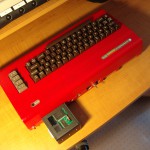
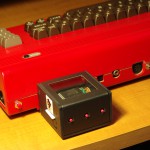
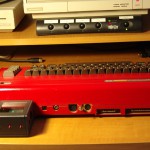
Commie Red with 1541 Ultimate-I

One of my earliest mod projects is Commie Red.

  • JiffyDOS
  • Reset Switch
  • Sports-car Red Paint Job

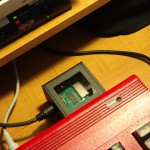
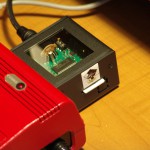
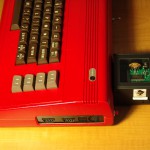
Also, this is the C64 that gets the 1541 Ultimate, which you can see in these pictures. My 1541 Ultimate has a specially designed case for earlier units that did not come with a cartridge case.

There are some flaws in my work — I was a bit impatient to complete the painting part of the project and did not take the time to paint the inside of the case first. So if you look for it, you can see the original color in some areas where the case separates.

Get a little bit more volume from your 1541-Ultimate I

Here’s a little tip for 1541 Ultimate I owners.

The 1541 Ultimate has a nice audio output feature which gives you the real sounds of a 1541 drive as the virtual drive is accessed.

The Ultimate-II came along and some firmware revisions actually offer two 1541 drives. In order to support audio for both drives, the stereo audio is split between the left and right channels.

For Ultimate-I devices with an updated firmware, there is no possibility of a second drive, yet the default settings for the device have “drive A” only going to one channel.

I found my volume increased when I assigned drive A to both channels in the firmware settings.

Not a big deal, but there it is. 🙂