Bitmaps with sprites
These four formats add sprites to a bitmap for the colors and detail its cells can't hold. They run on a stock C64 at its normal speed, PAL or NTSC.
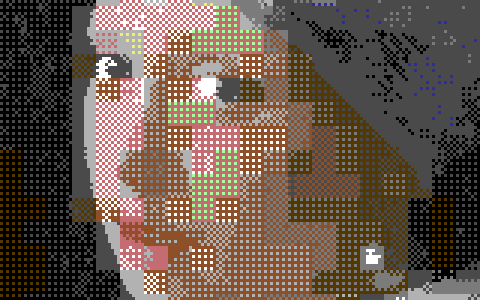
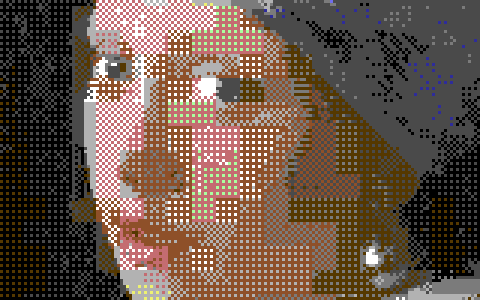
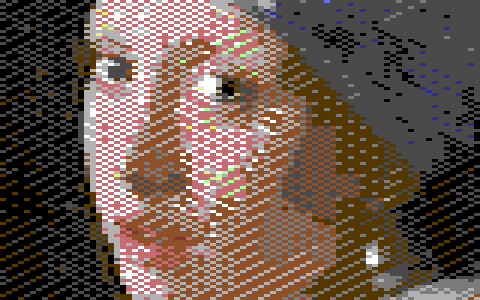
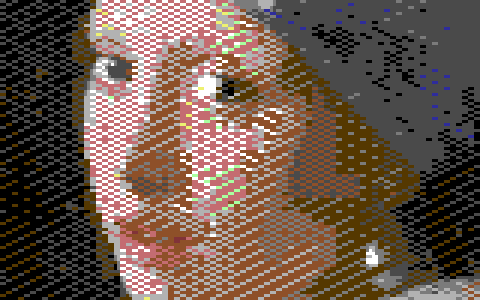
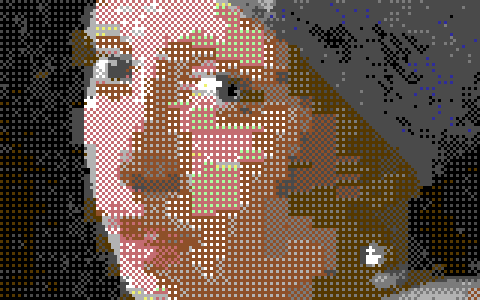
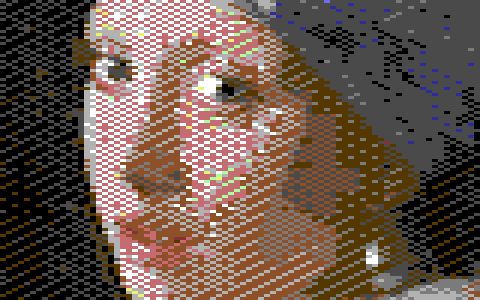
Girl with a Pearl Earring converted with the default settings, a detail at 3×.
Sprites in short
A sprite comes in two kinds:
- Hires: 24 × 21 pixels, each its own color or transparent.
- Multicolor: 12 × 21 pixels twice as wide as tall, each transparent or one of three colors: Sprite color 1 (
$D025) and Sprite color 2 ($D026), which all sprites share, and the sprite's own color.
The programs Mosaicus writes multiplex the eight hardware sprites, so a picture can have many more than eight.
Hires + sprites and Multicolor + sprites
Multicolor + sprites: a Koala picture with up to 64 sprites over it. Where a sprite has a pixel, the sprite's color shows instead of the bitmap's. The Koala keeps all its own rules (a background and three colors in each 4 × 8 cell).
Hires + sprites: a hires bitmap with up to 64 sprites behind it. Each pixel of a cell shows the cell's first color where the bitmap says so; elsewhere it shows the sprite behind it, where the sprite has a pixel, and the cell's second color where it doesn't. So a cell under a sprite can show its two colors and the sprite's too.
Both pictures are 320 × 200 hires pixels, so a hires sprite's pixels fit them exactly (in Multicolor + sprites, the Koala's own pixels are pairs of them).
The converter places the sprites itself: it puts each where it shows the most of what the bitmap alone loses, then dithers every pixel in the colors it really has there (its cell's and the sprite's over or behind it), so every dither works with sprites. The sprites follow the C64's rules:
- at most 64 in all, and at most 8 on any line;
- they never overlap, so every pixel belongs to one sprite at most;
- each starts on an even pixel across and stays inside the picture (x 0 to 296, y 0 to 179);
- when a sprite is used again further down, the program needs two lines between its two uses to set it up.
To choose, move, add or pin sprites by hand, use the Sprites tool (A): see Sprite pins.
Their options
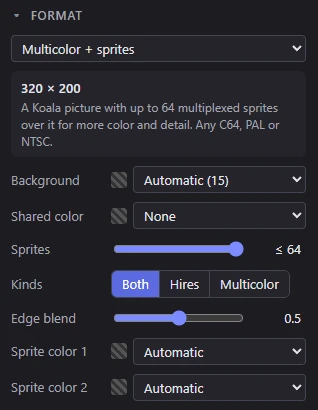
- Background and Shared color (Multicolor + sprites only): the Koala's, as for a multicolor bitmap.
- Sprites (0 to 64, default 64, shown as ≤ 64): the most sprites the converter may place. It may place fewer, where more wouldn't help. Sprites you pin with the Sprites tool come on top of these, up to 64 in all. At 0 the converter places none.
- Kinds: the sprites the converter may place: Both (the default), Hires (one color of its own, sharp pixels) or Multicolor (two shared colors and its own, wide pixels).
- Edge blend (0 to 1, default 0.5): how far in a sprite's edge is dithered into the cells under it (0: a hard edge), and how much the converter keeps sprites out of even areas, where an edge would show.
- Sprite color 1 and Sprite color 2: the multicolor sprites' shared colors (
$D025and$D026). Automatic (the default) lets the converter choose them.
The status bar shows how many of the eight hardware sprites the picture uses and how many times they are placed (8 sprites · 46 placed). Point at it for the sprites' kinds, the most on one line, and how many there are on each stretch of lines.
What they export as
- Bitmap and sprites (
.bin): the Koala data (10,001 bytes) or hires data (9,000 bytes), then$D025,$D026, the sprite count, and for each sprite a 6-byte record (position, color, kind, hardware sprite) and its 64-byte block. - Assembly source of the same parts, PNG, a C64 program and its viewer source.
- A picture with no sprites at all (Sprites at 0, and no pins) is a plain Koala or hires picture, so the Koala Painter, Art Studio and other paint programs' files are offered too.
A 1:1 PNG opens again exactly, sprites and all. See Exporting.
Hires FLI + sprites and Multicolor FLI + sprites
These two put a fixed grid of multicolor sprites with an FLI bitmap. The FLI bitmap gets new cell colors every second line:
- Hires FLI + sprites: 320 × 200, two colors in each 8 × 2 cell.
- Multicolor FLI + sprites: 160 × 200 wide pixels; each 4 × 2 cell shows the picture's background, two colors of its own, and one more it shares with its 4 × 8 cell.
The sprites are all multicolor and twice as tall, in bands of 42 lines down the picture:
- Sprite 0 covers the screen's left 24 pixels in front of the bitmap: the FLI bug, so these formats keep the whole width. Every pixel there is one of the sprite's three colors.
- Sprites 1 to 6 are also twice as wide, side by side from x 24 to 311. They are behind a hires FLI bitmap (its cells' first color in front of them) and in front of a multicolor FLI one. The last 8 pixels, x 312 to 319, have no sprite.
- Each sprite has an own color for each of its bands; the two shared colors are the whole picture's.
As in plain FLI, the last lines can't get new colors: lines 198 and 199 show the colors of lines 196 and 197. And in the band of sprite 6, the two rightmost pixels of its last line (x 304 to 311) can't show the band's own color: the next band's color is set there.
While you paint, Mosaicus keeps these rules: in Hires FLI + sprites, each 4 × 2 block of a cell shows the cell's first color and one more (its second color or one of the sprite's colors there); in Multicolor FLI + sprites, a 2 × 2 block all in one of the sprite's colors is the sprite's, and the other pixels are the bitmap's.
Their options
- Background (Multicolor FLI + sprites only): as for Multicolor FLI.
- Sprite color 1 and Sprite color 2: the sprites' shared colors (
$D025and$D026), Automatic by default.
The Colors & dither panel has the Quality row for these two (Auto, Fast or Best), as for the standard formats. Their sprites can't be moved: the Sprites tool is for Hires + sprites and Multicolor + sprites only.
What they export as
FLI and sprites (.bin): the bitmap, its four screens (a character row's line pairs), for multicolor also the color RAM and the background, then $D025 and $D026, the 36 sprite bands' own colors and their 64-byte blocks, as Mosaicus's viewer reads them. Also assembly source, PNG, a C64 program and its viewer source. A PNG opens again as a picture to edit, but its sprites are placed again, and some cells may not fit.
NoteThe Hires + sprites and Multicolor + sprites programs run on any C64, the Drean included. The FLI + sprites programs run on a PAL C64 (VIC-II 6569, or the C64C's 8565), an NTSC C64 with the 6567R8 or the C64C's 8562 (nearly every NTSC C64) and a Drean C64 (6572), as checked in VICE's models of those chips. On the first NTSC C64s (6567R56A) they run, but some pixels are wrong.
The sprites view
View ▸ Sprites (Q) turns the sprites off and on in all four formats: with them off you see the bitmap alone, which shows what the sprites add. The Sprites tool's bar has the same switch, Sprites (Q). Turning them off changes only the view: the picture, its exports and its program still have them.
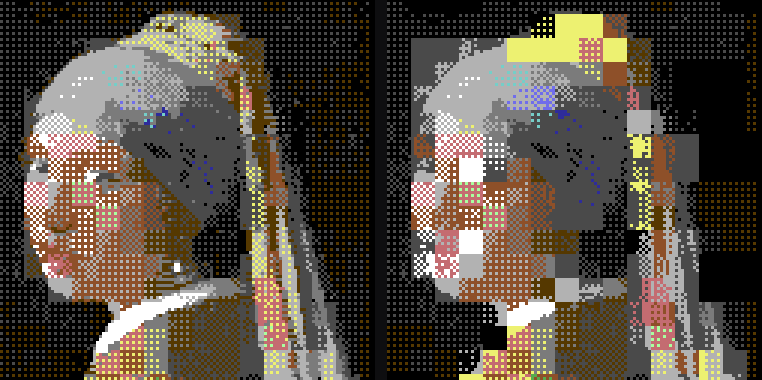
View ▸ Format guides (Ctrl+;) shows the cells and, in Hires + sprites and Multicolor + sprites, a box around every sprite: hires ones cyan, multicolor ones magenta, dashed where the converter placed them and solid where you pinned them.
Related pages
- Sprite pins: place the sprites of Hires + sprites and Multicolor + sprites by hand.
- Standard formats: the bitmaps on their own, and the FLI bug.
- Running on a C64: every one of these runs in VICE and on a C64 Ultimate.