Standard formats
These are the classic C64 bitmap formats: every C64 shows them, and C64 paint programs and viewers read their files. The FLI formats use a well-known trick to give hires and multicolor new colors on every line.
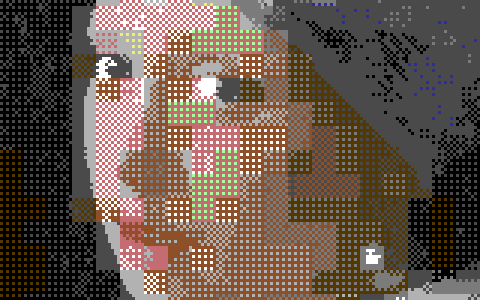
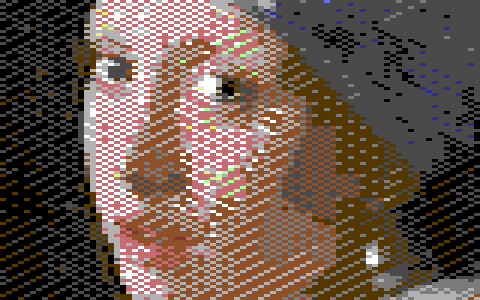
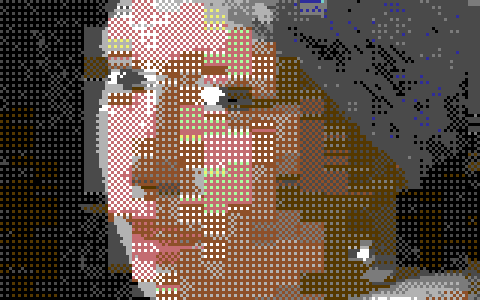
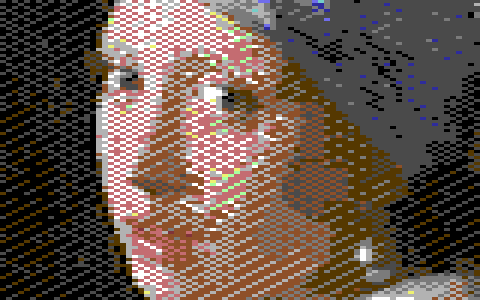
Girl with a Pearl Earring converted with the default settings, a detail at 3×.
Hires bitmap
320 × 200 pixels, two colors in each 8 × 8 cell. Any C64 shows it.
Each 8 × 8 cell (the place of one character on the text screen) has two colors of its own, any two of the 16. Every pixel in the cell is one or the other. There is no color shared by the whole picture.
Hires keeps the C64's finest detail: use it for line art, text, sharp edges and pictures with few colors in each area. A photo shows the cells' blocks where its colors change quickly, as in the detail above.
The Format panel has no options for it.
Exports: Art Studio (.art), Doodle! (.dd), Hi-Eddi (.hed) and Interpaint hires (.iph) files; Hires data (.bin, 9,000 bytes: the bitmap, then the screen); assembly source; PNG; a C64 program and its viewer source. See Exporting.
Multicolor bitmap (Koala)
160 × 200 wide pixels: one background color for the whole picture, and three more in each 4 × 8 cell. Any C64 shows it.
Each pixel is twice as wide as it is tall. A 4 × 8 cell can show four colors: the picture's background, and three of the cell's own. With twice as many colors per cell as hires, multicolor suits photos and paintings, at half the resolution across. It is the format of Koala Painter, and the one most C64 picture software reads.
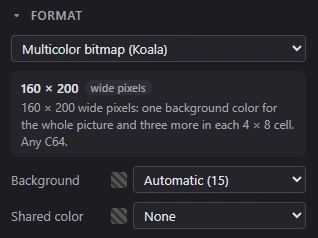
The Format panel's options:
- Background: the one color every cell shares (the C64's background register,
$D021). Automatic (the default) lets the converter choose it for the picture, and shows its choice in parentheses: Automatic (15). Choose a color to fix it, for example when the picture must share its background with something else on the screen. - Shared color: a third color every cell has. Each cell then picks only two colors of its own besides the background. In the C64's memory this fills the color RAM with one color. Some demos need that; usually leave it at None, the default.
Exports: Koala Painter (.koa), Advanced Art Studio (.ocp) and Interpaint multicolor (.ipt) files; Koala data (.bin, 10,001 bytes: bitmap, screen, color RAM and background, a Koala Painter file without its load address); assembly source; PNG; a C64 program and its viewer source.
The FLI formats
FLI makes the C64 fetch new cell colors on every line instead of every eighth, so each cell is only one line tall. That gives far more color than a plain bitmap, on any PAL or NTSC C64, with two side effects every FLI picture has.
The FLI bug
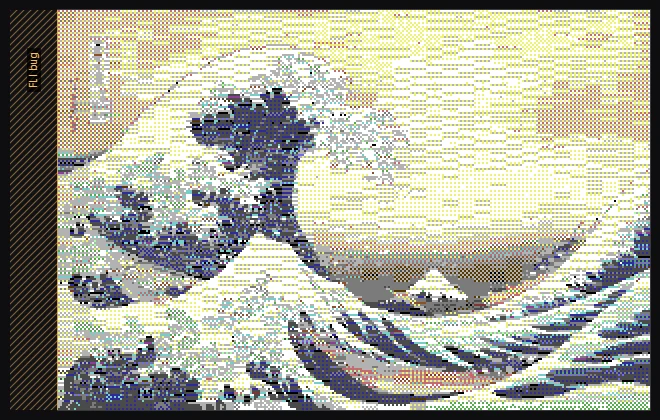
The C64 can't show the screen's left 24 pixels (three characters) properly in FLI: that strip is called the FLI bug. A C64 shows light gray there in hires FLI, and the background in multicolor FLI; other viewers show garbage or leave the strip out. Mosaicus leaves it out of the picture: an AFLI picture is the 296 pixels right of the strip, and a multicolor FLI picture the 148 wide pixels right of it.
The editor shows the strip hatched, left of the picture, and labeled FLI bug. The status bar counts its columns at negative x. The source can still go behind it: the Frame tool places the source over the whole screen, the strip included.
Lines 197 to 199
The C64 can fetch new colors only down to line 196. Lines 197, 198 and 199 keep line 196's colors. Mosaicus treats the last four lines as one row of cells: in AFLI, each 8 pixels across those four lines share two colors.
Hires FLI (AFLI)
296 × 200, two colors in each 8 × 1 cell: new colors every line. Any PAL or NTSC C64 shows it.
Each cell is 8 pixels wide and one line tall, with two colors of its own. The Format panel has no options for it.
Exports: AFLI (.afl, load address $4000, 16,385 bytes); AFLI data (.bin, 16,383 bytes: the AFLI file without its load address); assembly source; PNG; a C64 program and its viewer source.
Multicolor FLI
148 × 200 wide pixels: one background, two colors of each 4 × 1 cell's own (new every line), and one more per 4 × 8. Any PAL or NTSC C64 shows it.
Each 4 × 1 cell can show four colors: the picture's background, two colors of its own, and a third it shares with the other lines of its 4 × 8 cell (the color RAM, which FLI can't change from line to line).
The Format panel has one option, Background, which works as a Koala picture's does (there is no Shared color).
Exports: Blackmail FLI (.bml, FLI Graph's file: load address $3B00, 17,474 bytes, with a background color for each line); FLI Designer (.fli: load address $3C00, 17,409 bytes), offered only when the background is black, since the file has no background color and its viewers show black; FLI data (.bin, 17,472 bytes: the Blackmail FLI file without its load address); assembly source; PNG; a C64 program and its viewer source.
NoteThe FLI programs Mosaicus writes run on a PAL C64 (VIC-II 6569, or the C64C's 8565), an NTSC C64 with the 6567R8 or the C64C's 8562 (nearly every NTSC C64) and a Drean C64 (6572), as checked in VICE's models of those chips. The program finds out which it is on by itself. On the first NTSC C64s (6567R56A) they run, but some pixels are wrong.
Quality
For all four formats the Colors & dither panel has a Quality row: Auto (fast while you adjust, refined when you pause), Fast or Best. Best tries every background and refines each cell against the source: clearly better, and slower (about a quarter of a second for Koala and hires, up to a second for the FLI formats). See Quality.
Related pages
- Bitmaps with sprites: these bitmaps with sprites added for more color.
- Cell limits and clashes: how painting keeps each cell's colors.
- Running on a C64: VICE (F5) or a C64 Ultimate (Shift+F5).