C64 Ultimate formats
These formats have no cell limits: any of the 16 colors on every pixel. A stock C64 can't show them. The C64 Ultimate and the Ultimate 64 Elite-II can, in their turbo mode: their programs race the beam, rewriting a color register for every pixel while the video chip draws the line, at 64 or 48 MHz.
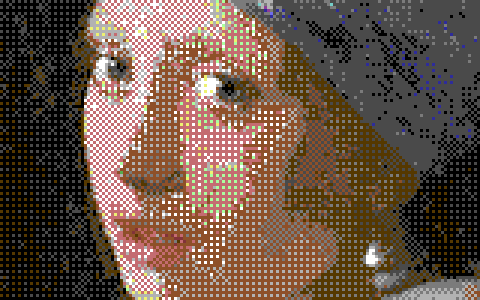
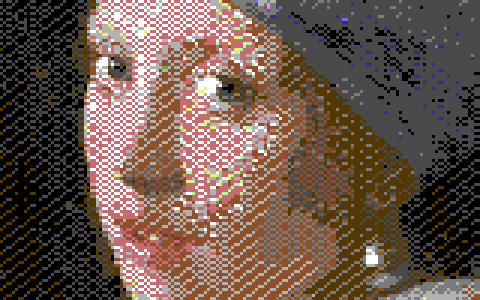
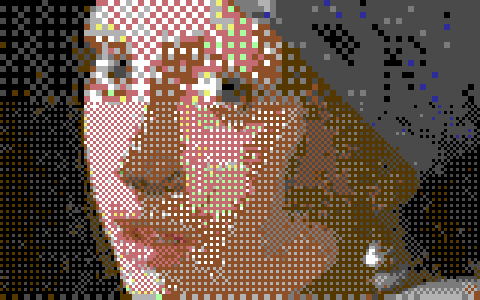
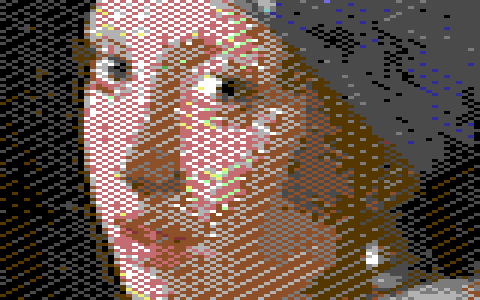
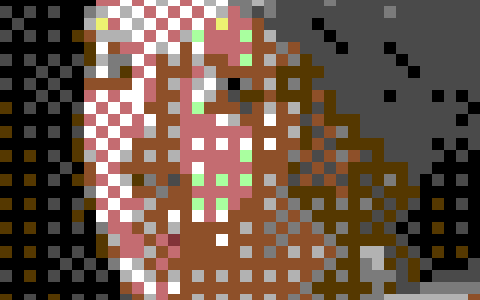
Girl with a Pearl Earring converted with the default settings, a detail at 3×.
What they need
- A C64 Ultimate or an Ultimate 64 Elite-II. VICE can't show these formats, so Run ▸ In VICE is off for them; use Run ▸ On C64 Ultimate (Shift+F5), or export the program and load it yourself (Running on a C64).
- Turbo Control set to C64U Turbo Registers (U64 Turbo Registers on an Ultimate 64 Elite-II) in the Ultimate's menu (under U64 Specific Settings). It is Off at power-up unless you save the setting there. The program turns the turbo on itself.
- PAL or NTSC: the same program runs on both.
The Format panel marks these formats Needs C64U / U64 Elite-II. Point at the badge for the clock the program runs at.
When you run one, the screen stays black for about 6 seconds while the turbo starts, then the picture shows. The program measures the speed first. When it can't race the picture (another Turbo Control setting, or a machine without that speed), it shows a message on the screen instead of a wrong picture: to set Turbo Control to C64U Turbo Registers, or that this machine has no 64 MHz (a plain Ultimate 64 tops out at 48 MHz).
64 MHz and 48 MHz
- At 64 MHz a program can change the color 8 times in 8 pixels: every hires pixel can have its own color. This needs a C64 Ultimate or an Ultimate 64 Elite-II.
- At 48 MHz it can change it only 6 times in 8 pixels, so the pixels are 1, 1 and 2 hires pixels wide in turn. The 48 MHz programs are made for the C64 Ultimate, where they were tested, and the Ultimate 64 Elite-II, where they weren't; on any other machine they show their message when they can't run.
Hires, 16 colors per pixel runs at 64 MHz and Hires 240 at 48 MHz; the panel says so under the size. Hires band + chunky and the two Chunky formats can run at either: choose with Turbo.
Hires, 16 colors per pixel
Every hires pixel any of the 16 colors, up to 384 × 200. 64 MHz.
The most detailed format Mosaicus makes. Size can be anything from 1 × 1 up to 384 × 200: 320 pixels across fills the screen's middle, and anything wider reaches into the borders, up to 384, border to border. The picture is centered on the screen both ways.
Hires 240, 16 colors per pixel
240 pixels across the 320, each any of the 16 colors, up to 384 × 200 (288 pixels, border to border). 48 MHz.
At 48 MHz the pixels across a line are 1, 1 and 2 hires pixels wide, over and over. Mosaicus keeps the picture at the screen's full hires width (320, or up to 384) so it shows the pixels where the screen does: of every 4 hires columns, the last two are one pixel and always have the same color. Painting either of them paints both. The dithers work in this pixel shape too.
Size goes up to 384 × 200, its width in steps of 8. Across the 384 it is centered on a column that is a multiple of 4.
Hires band + chunky
16-color hires lines in a band, 16-color chunky blocks above and below. 64 or 48 MHz.
A band of hires lines across the picture, where the detail matters, with larger blocks above and below it. At 64 MHz the band has every hires pixel; at 48 MHz it has Hires 240's pixels, 1, 1 and 2 hires pixels wide.
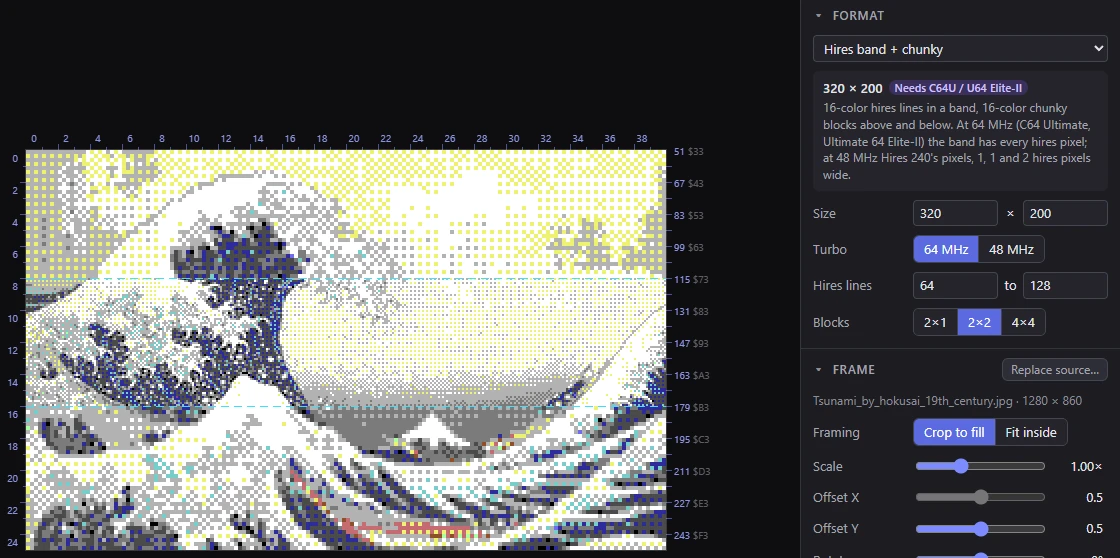
Its options in the Format panel:
- Size: 320 or 384 wide (a choice of the two), and up to 200 lines tall.
- Turbo: 64 MHz (the default) or 48 MHz.
- Hires lines from to to: the band's first line and the line after it, each a multiple of 8. It starts at 64 to 128. The band keeps at least 8 lines: moving one end past the other pushes the other along. Up and Down move an end by 8 lines.
- Blocks: the chunky parts' block size: 2×1, 2×2 (the default) or 4×4 hires pixels. Each block is one color.
With View ▸ Format guides on, dashed lines mark the band's edges. A hand edit in the chunky parts paints its whole block: a block with any edited pixel takes the first edited color in it.
Chunky 160 × 200 and Chunky 80 × 50
- Chunky 160 × 200: any of the 16 colors on every wide pixel (2 hires pixels wide, like multicolor's), with no cells at all.
- Chunky 80 × 50: any of the 16 colors on every 4 × 4 block (the panel's badge says 4 × 4 blocks).
Both are a fixed size, and run at 64 or 48 MHz: choose with Turbo.
What they export as
- Raced data (
.bin): the picture's pixels as the program reads them: two pixels a byte for the hires formats, a byte a pixel for the chunky ones. For the formats whose size you choose, the file's name records the size (and a mixed picture's band), so Mosaicus can open it again. - Assembly source and PNG.
- A C64 program that races the picture, and its viewer source, which also says where your own code can go and how much time it has. See Viewer source.
There are no paint program files for these formats: no other program shows them.
Related pages
- Running on a C64: sending a picture to the C64 Ultimate.
- Standard formats: pictures any C64 shows.
- SuperCPU format: another accelerator's format.